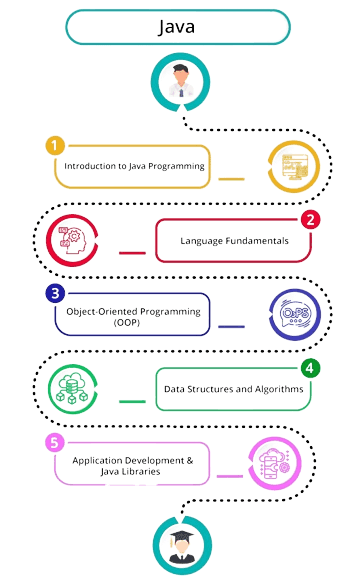
Course Outline for Java Programming with GUI (Swing & JavaFX)
Course Duration: 24 weeks (6 months)
Course Level: Beginner to Intermediate
Prerequisites:
Basic understanding of programming concepts. Familiarity with any programming language is a plus
Week 1-2: Introduction to Java Programming
Overview of Java programming language, Setting up the Java development environment (JDK, IDE), Basic syntax and structure of a Java program, Data types, variables, and operators, Control flow statements: if-else, switch-case, Introduction to loops: for, while, do-while
Week 3-4: Object-Oriented Programming in Java
Principles of OOP: Encapsulation, Inheritance, Polymorphism, and Abstraction, Classes and objects, Constructors and methods, Access modifiers and data encapsulation, Method overloading and overriding, Static keyword and its use
Week 5-6: Advanced OOP Concepts
Inheritance and its types, Abstract classes and interfaces, Polymorphism and dynamic method dispatch, Object class and its methods (equals, hashCode, toString), Exception handling in Java
Week 7-8: Collections Framework
Introduction to Java Collections Framework (JCF), List, Set, and Map interfaces, Common implementations: ArrayList, LinkedList, HashSet, TreeSet, HashMap, TreeMap, Iterators and enhanced for-loop, Sorting and searching with Collections
Week 9-10: File I/O and Serialization
Basics of file handling in Java, Reading and writing text files using FileReader and FileWriter, Working with binary files using FileInputStream and FileOutputStream, Introduction to serialization and deserialization, Handling file exceptions
Week 11-12: Introduction to Java Swing (GUI Basics)
Overview of GUI programming and Swing, Swing vs. AWT, Creating a simple GUI window using JFrame, Understanding Swing components: JLabel, JButton, JTextField, JTextArea, Event handling in Swing using ActionListener
Week 13-14: Layout Managers
Introduction to layout managers, Using FlowLayout, BorderLayout, GridLayout, and BoxLayout, Nested layouts for complex GUIs, Best practices for choosing layout managers
Week 15-16: Advanced Swing Components
Working with JComboBox, JList, and JRadioButton, Using JTabbedPane and JScrollPane, Creating menus with JMenuBar, JMenu, and JMenuItem, Building forms with validation
Week 17: Introduction to JavaFX
Overview of JavaFX and comparison with Swing, Setting up a JavaFX project, JavaFX application structure, Understanding the Stage and Scene classes, Basic JavaFX controls: Button, Label, TextField, TextArea
Week 18: JavaFX Layouts and Scene Graph
Introduction to the scene graph, Using layout panes: HBox, VBox, BorderPane, GridPane, StackPane, Nesting layouts for complex UI designs, Styling JavaFX applications with CSS
Week 19: JavaFX Event Handling
Event handling in JavaFX, Using lambda expressions for event handling, Handling common events: button clicks, key presses, mouse events, Working with event filters and handlers
Week 20: Advanced JavaFX Components
Working with ListView, ComboBox, and TableView, Adding and removing items dynamically, Using JavaFX dialogs: Alert, DialogPane, Creating menus with MenuBar, Menu, and MenuItem
Week 21: JavaFX Multimedia and Animation
Integrating audio and video using JavaFX Media API, Creating animations with Timeline and KeyFrame, Working with transitions: FadeTransition, TranslateTransition, RotateTransition, Handling multimedia events
Week 22: Multithreading in Java and JavaFX
Introduction to multithreading and concurrency in Java, Creating and managing threads, Synchronization and thread safety, Using Task and Service classes for background tasks in JavaFX
Week 23: Mini Project
Design and development of a mini-project using Swing or JavaFX, Suggested project ideas: Simple text editor, media player, to-do list, calculator
Project planning, coding, and debugging
Week 24: Project Presentation and Course Review
Final project presentation by students, Review of key concepts covered in the course, Discussion of advanced topics and future learning paths
Resources:
Books: "Java: The Complete Reference" by Herbert Schildt, "Head First Java" by Kathy Sierra and Bert Bates, "JavaFX 8: Introduction by Example" by Mark Heckler
Online Platforms: Oracle Java Documentation, JavaFX Documentation, Java Swing and JavaFX Tutorials (Oracle)
This course outline provides a comprehensive introduction to both Swing and JavaFX, allowing students to build versatile and modern GUI applications.